Your camp in your pocket
One app, three points of view: the families who trust you, the counselors running the day, and the director walking the camp.
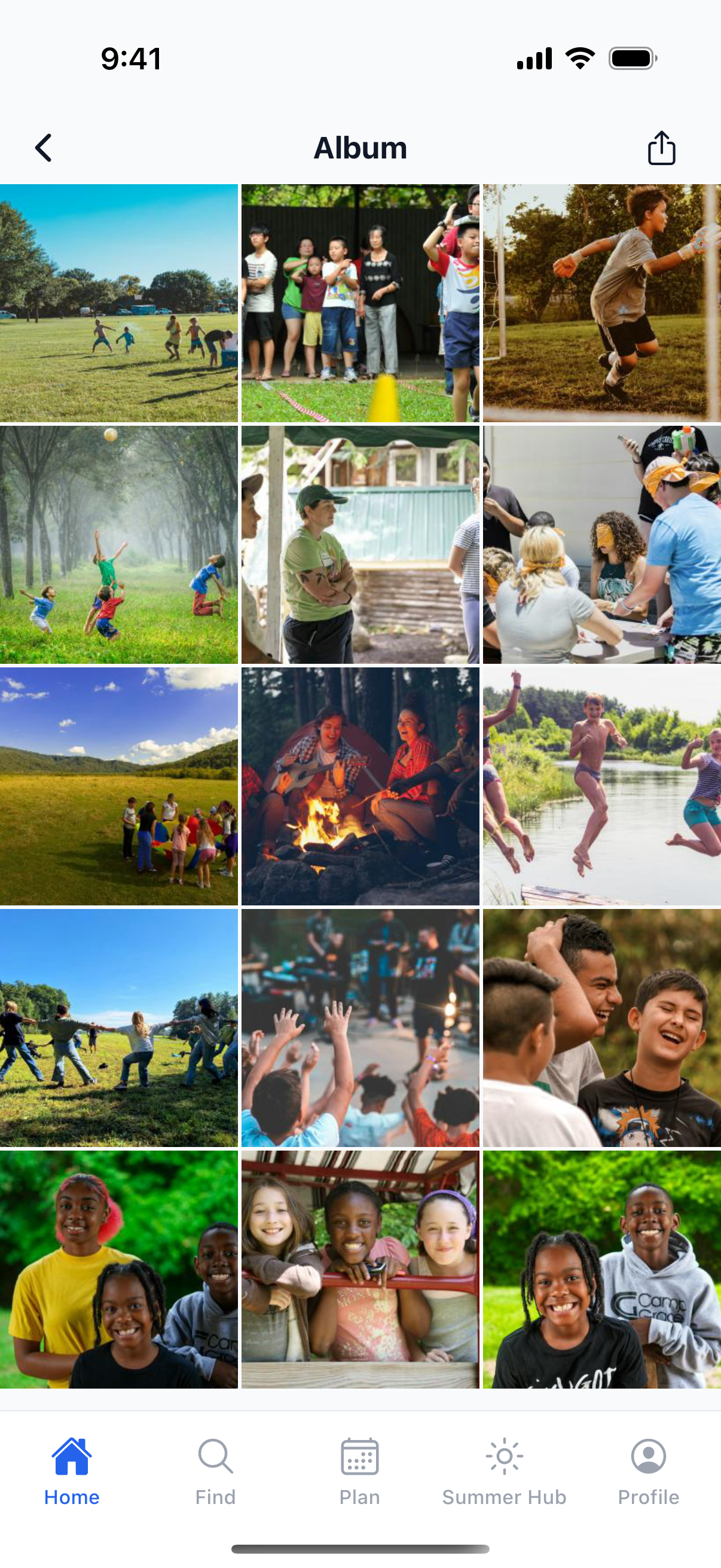
Parents watch their camper’s day unfold and reach you in a tap. Counselors carry the roster, meds, and incidents. Directors see every session at once, with no clipboard and no “which list is right?”
A front-row seat to the day
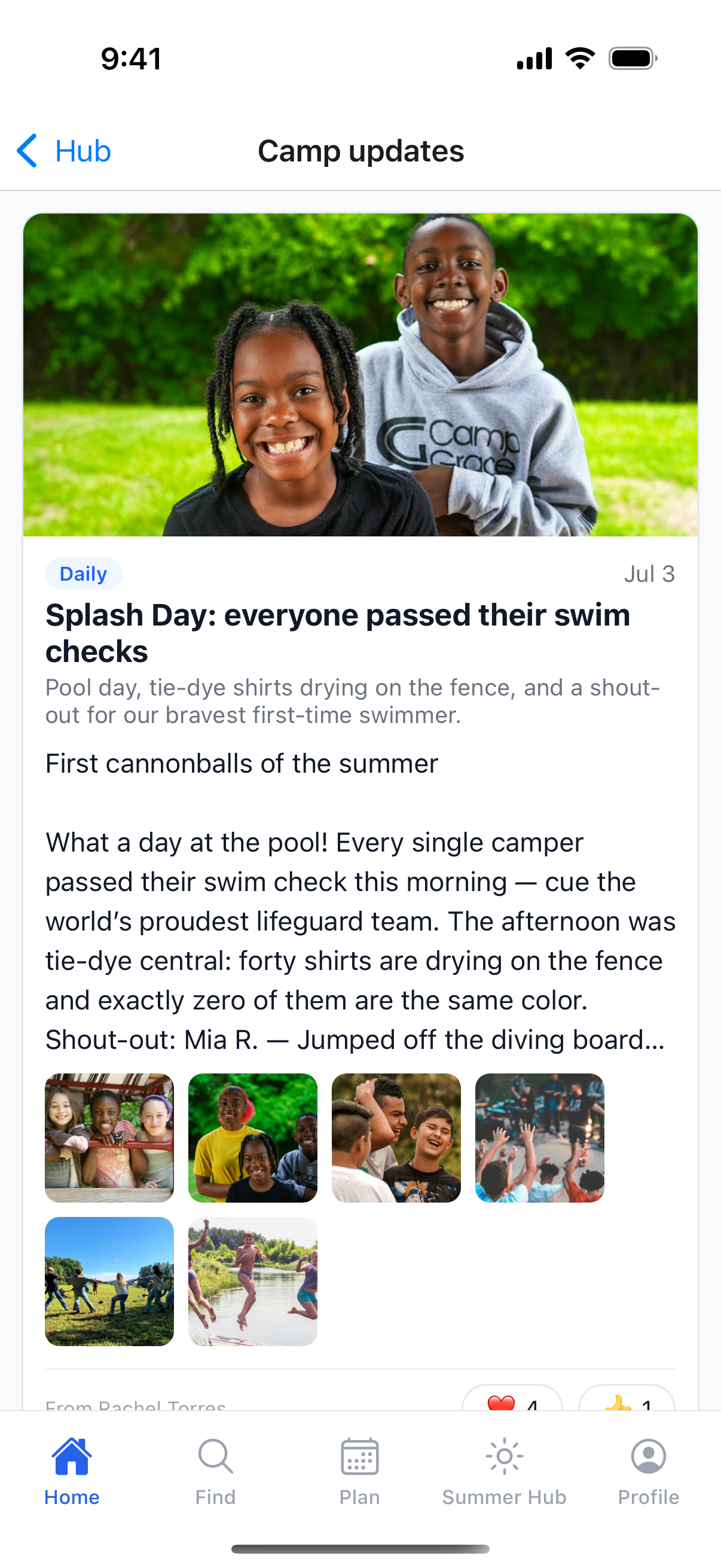
The photo from this morning’s hike lands before pickup. The “any update?” text never needs sending. Families feel close to camp, and a little more in love with yours.
- Watch the day unfold in the camp updates feed, with photos, notes, and reactions
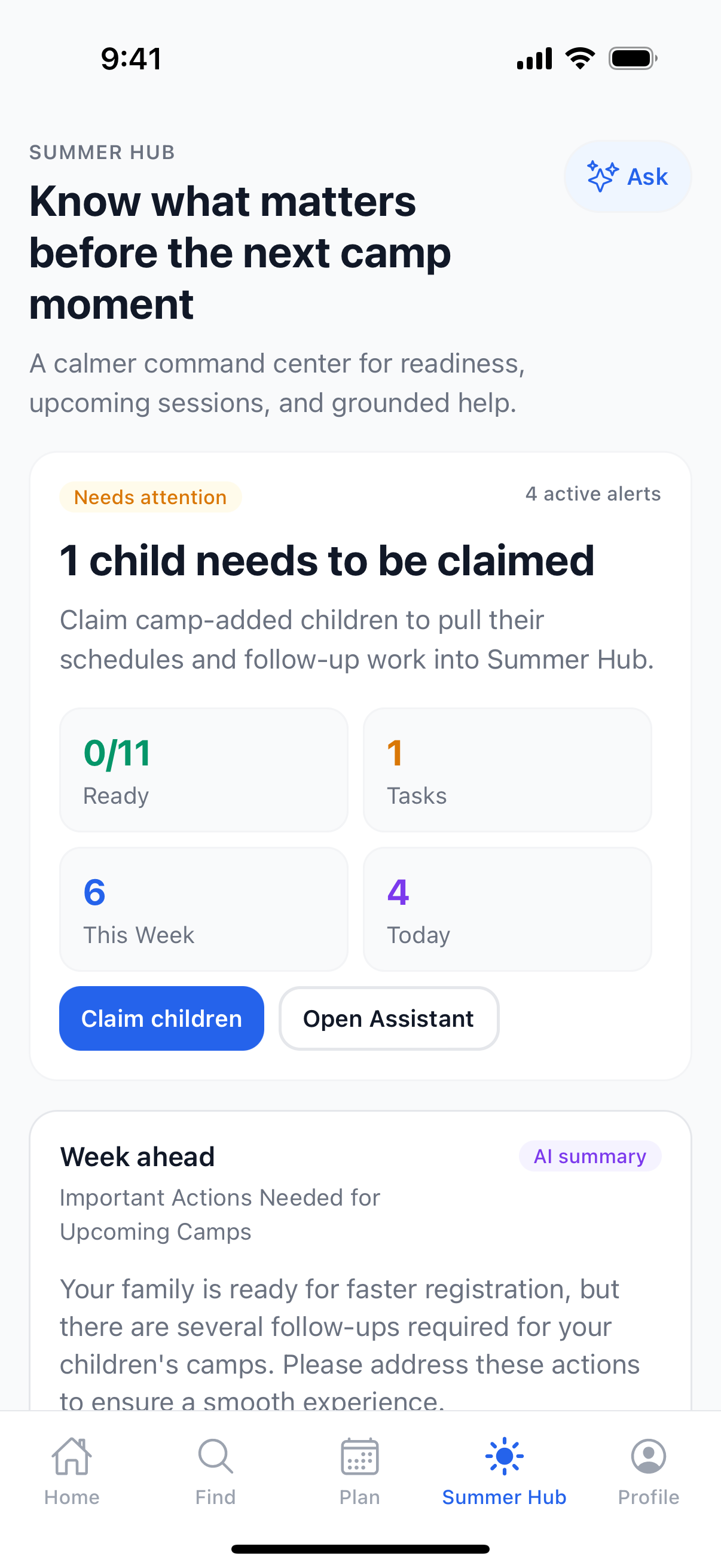
- See their camper’s photo album, matched just to them
- Read and reply to camper letters
- Get the alerts that matter and reach the camp in a tap
- Keep paperwork, pickups, and check-in codes in one place
The field, in their pocket
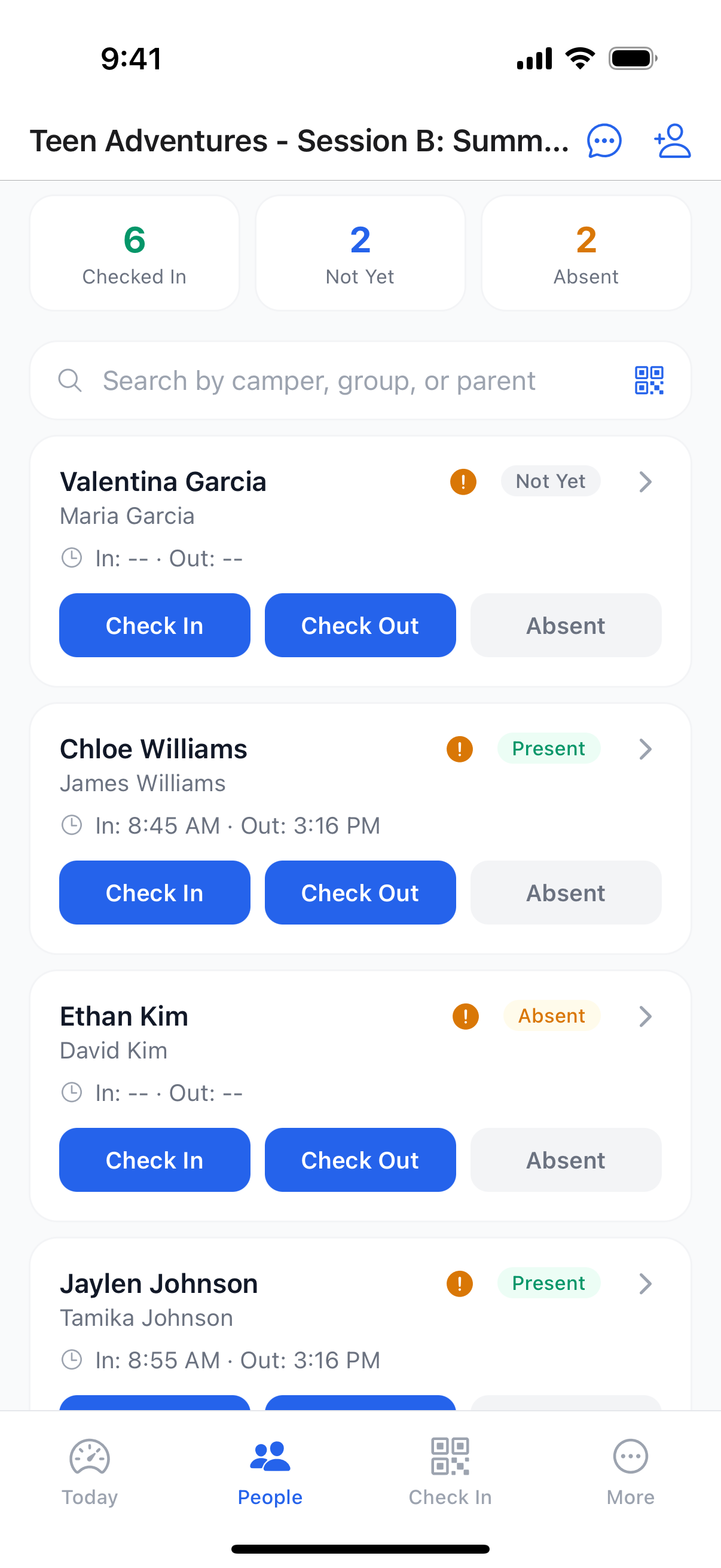
Counselors don’t carry a binder anymore. The live roster, medical flags, meds, and pickups are on the phone they already have, and it keeps working when the wifi doesn’t.
- Live roster and one-tap attendance as kids arrive
- A camper’s full picture in one tap: flags, contacts, and authorized pickups
- Log medications at the med station, with reminders and a history trail
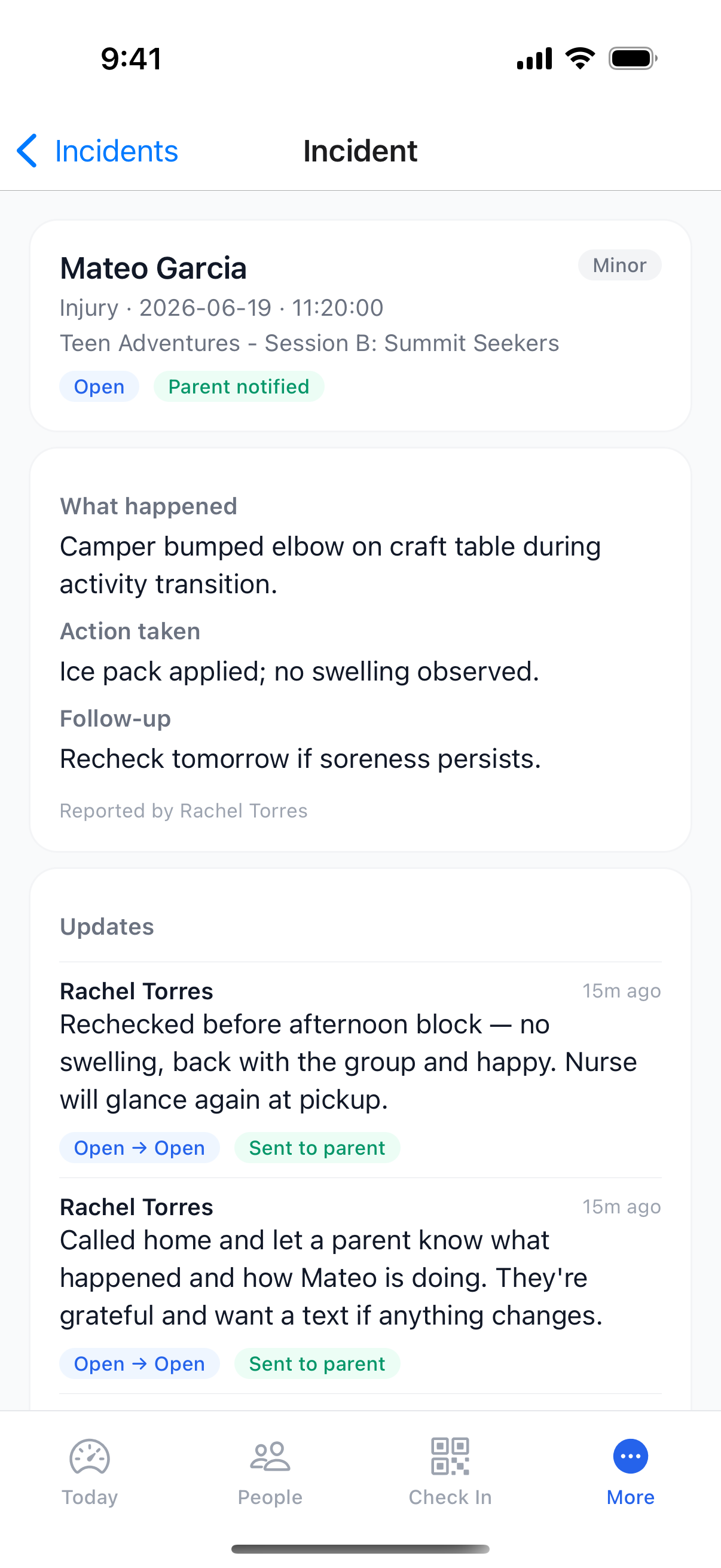
- Report an incident and keep a running update timeline, right from the field
- Everything keeps working when the wifi doesn’t, and actions sync when you reconnect
Walk the camp, not the office
The same app your counselors use, with the admin view on top. See every session’s headcount, pull coverage and operations reports, and manage the team, all from the floor.
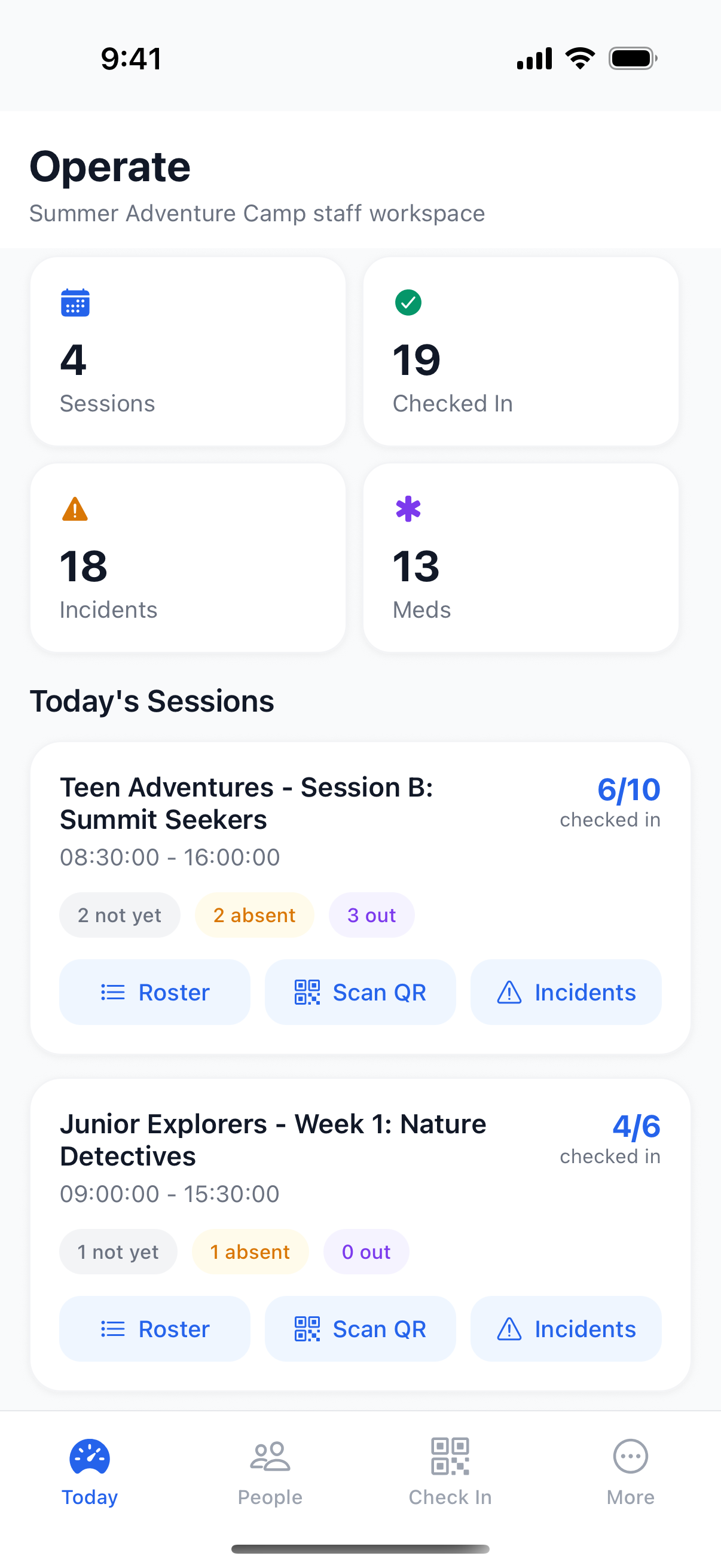
- Today across every session: headcount, incidents, and meds at a glance
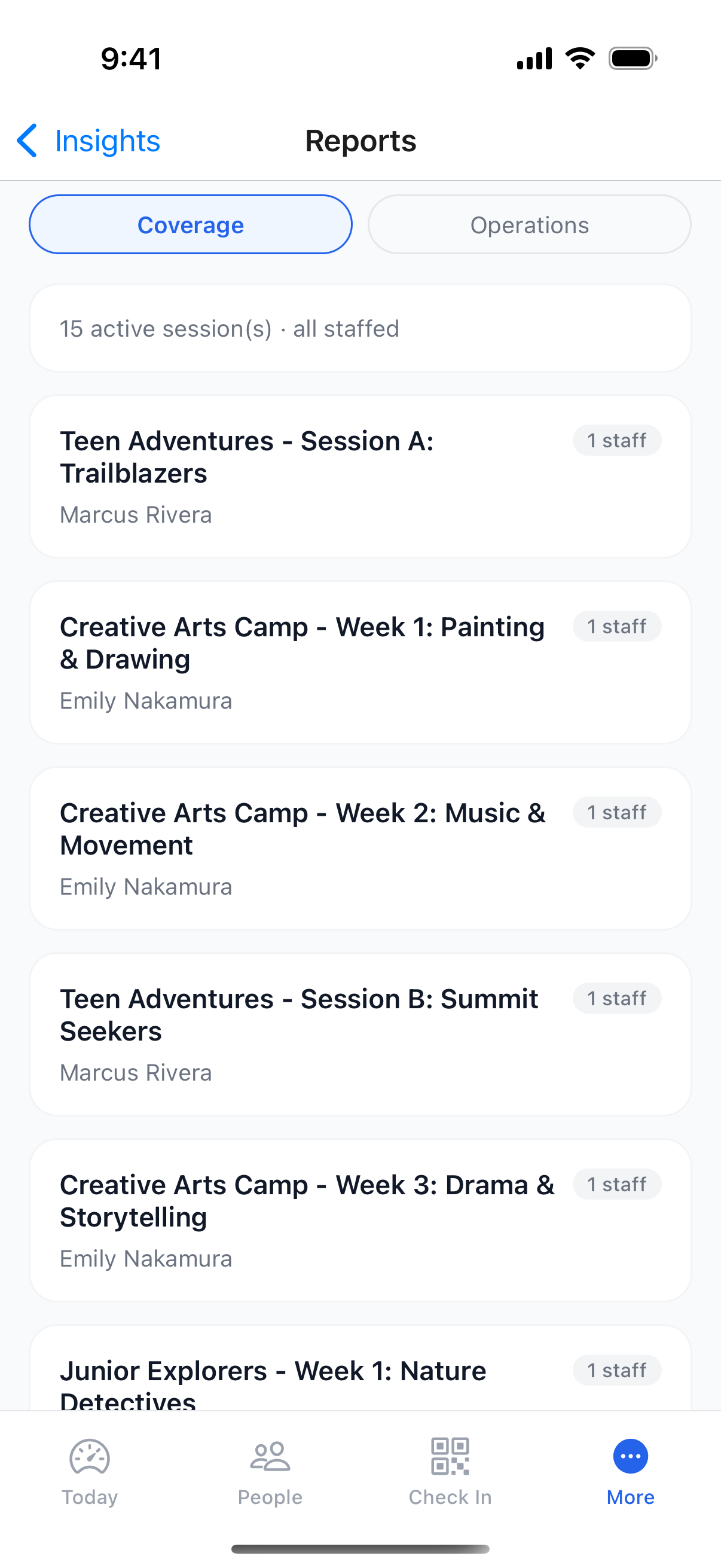
- Coverage and operations reports without opening a laptop
- Manage the team, roles, and session assignments from the floor
- Switch between organizations you run from one login
- The full staff toolkit (health, comms, commerce, and insights) in the More hub
Everything the web does, from the More hub
The staff app isn’t a stripped-down companion. Tap “More” and the same categories your team uses on the web are right there, grouped for one hand and a busy day.
Health & Safety
Incidents with update timelines, the medication MAR, and safety sheets.
Family Comms
Camp updates, photo galleries, announcements, and two-way messages.
Commerce
The camp store and POS, taking payments on the phone with Tap to Pay.
Insights
Coverage, operations, readiness, and the weekly schedule.
Admin
Team management, roles, waitlist, and manual enrollment.
People
Rosters, groups, families, and a search across every session.
The camp store runs a real POS with Stripe Terminal Tap to Pay, and a kiosk mode turns a spare tablet into a self-serve check-in station, with no extra hardware to buy.
From a counselor’s morning to a parent’s evening
One day at camp, followed across the phones that run it, and the phone that gets to watch.
- 1Drop-off
The roster goes live as campers arrive, and a quick scan or a tap marks each one in.
- 2Mid-morning
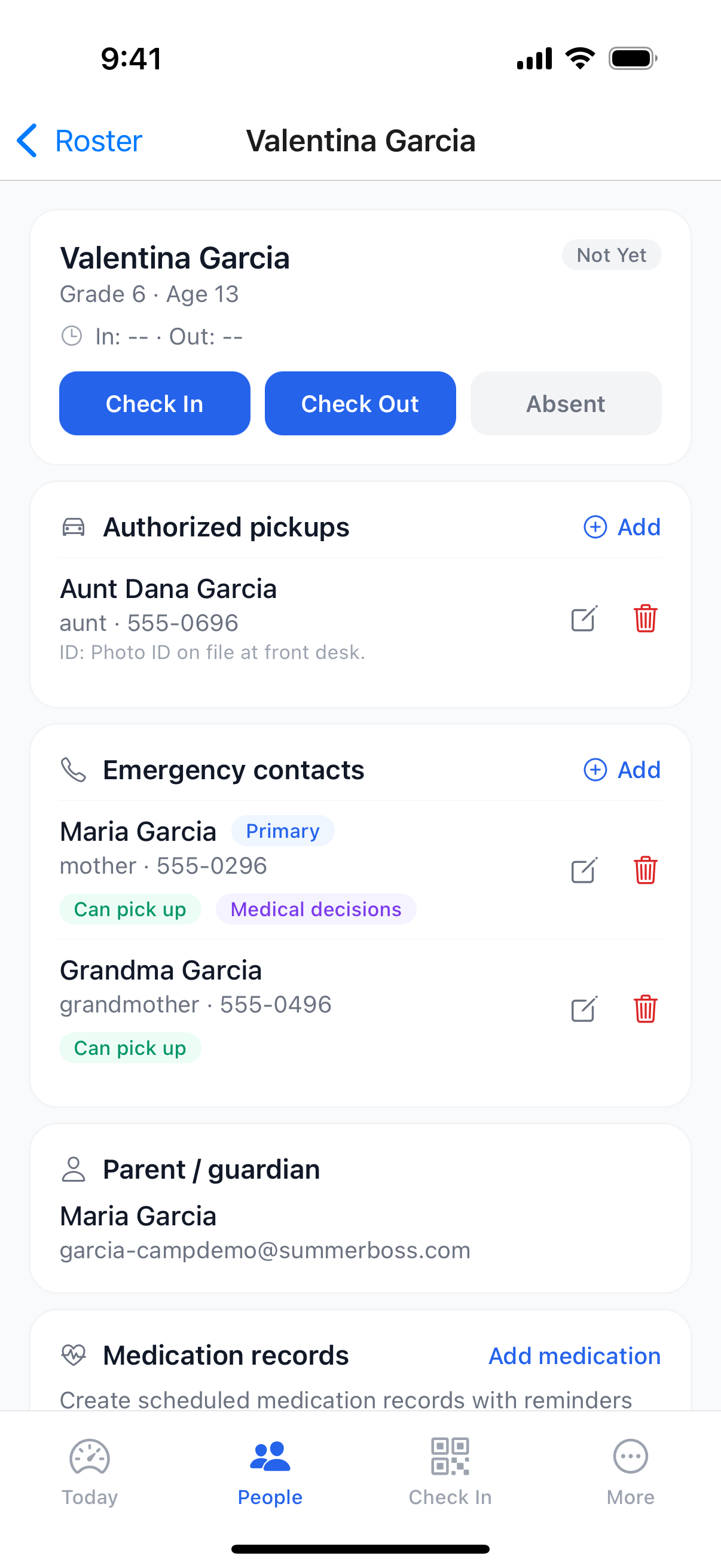
A camper’s full picture in one tap: allergies, meds, emergency contacts, and who’s cleared for pickup.
- 312:30 meds
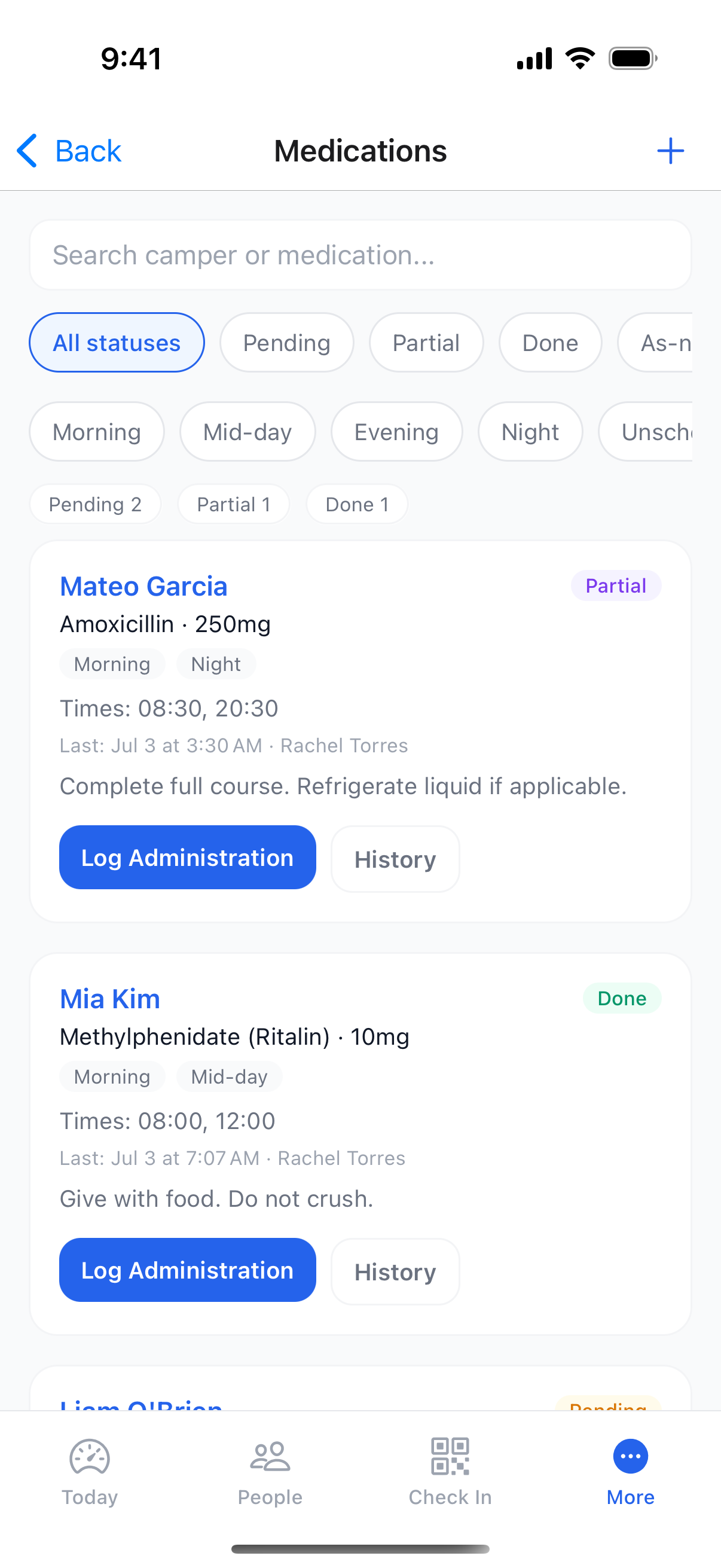
Log the noon doses right at the med station. Reminders, times, and a history trail, no paper MAR.
- 4Afternoon
A bumped elbow becomes a logged incident with an update timeline, and the parent’s notified.
- 5Pickup
By the time a parent arrives, they’ve already seen today’s photos and the day’s story.
Swipe to follow the story →
Built for registration-day rushes
A waiting room keeps the site from crashing, programs open in waves, and payments retry and recover, so the busiest morning of your year stays fast.
Switch on your schedule
Import rosters from any system and run the day (QR check-in at the gate included), then move registration over when you’re ready, even mid-summer.
We handle payments
Families pay by card, Apple Pay, or Google Pay at checkout. SummerBoss collects and pays you out on a regular schedule, with every order tied to each transfer. No Stripe account to set up on your end.
Your data, secured
Encrypted in transit and at rest, with role-based access and a full audit trail.
See the app on your own camp
A 20-minute walkthrough on your programs. Bring your phone.
20 minutes · no commitment · see it on your own camp